![memtime-light-2x.png.png]](https://knowledgebase.memtime.com/hs-fs/hubfs/memtime-light-2x.png.png?height=40&name=memtime-light-2x.png.png)
1. Refresh your projects in Memtime
After making changes in Odoo, the first thing you should do is refresh your projects in Memtime. Go to Project Management in Memtime and click Refresh.
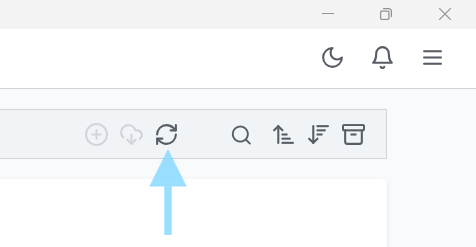
This will update the project list and import the latest changes from Odoo.
2. Check whether the changes were applied in all languages in Odoo
If the changes still do not appear, the most common reason is related to languages configured in Odoo.
If your Odoo account uses multiple languages, changes made to a project may only be applied to one language by default. In that case, Memtime may not receive the updated project information until the changes have been applied across all languages.
This behavior depends on Odoo’s API. There is currently no setting in Memtime that can be adjusted to change this.
Solution
Make sure the project changes are applied in all languages in Odoo.
Once you have done that:
- Go back to Memtime
- Open Project Management
- Click Refresh projects again
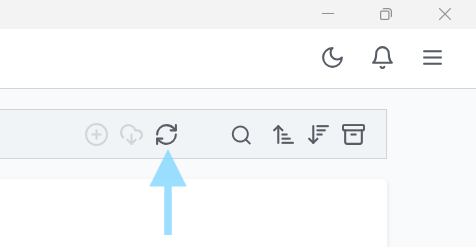
The updated project information should now appear.
If you have any questions, or if the changes still do not appear in Memtime after updating all languages, please contact our support team at support@memtime.com.