![memtime-light-2x.png.png]](https://knowledgebase.memtime.com/hs-fs/hubfs/memtime-light-2x.png.png?height=40&name=memtime-light-2x.png.png)
You can create Templates for Elements in the Project Management section of Memtime Projects.
There are two ways to create a new Template:
-
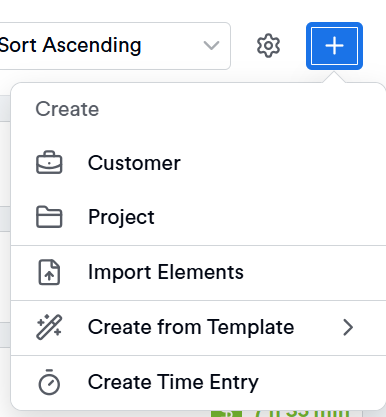
+ Button in Elements Tab - to create a new Template from scratch
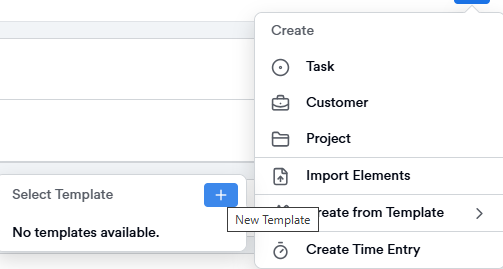
- Click Create from Template
-
Click + button to create a New Template
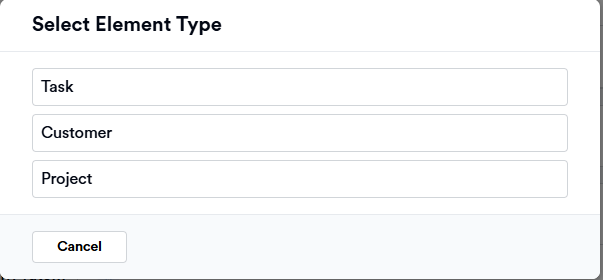
- Select for which Element Type you'd like to create a Template
- Fill in the required empty fields in the Template creation modal
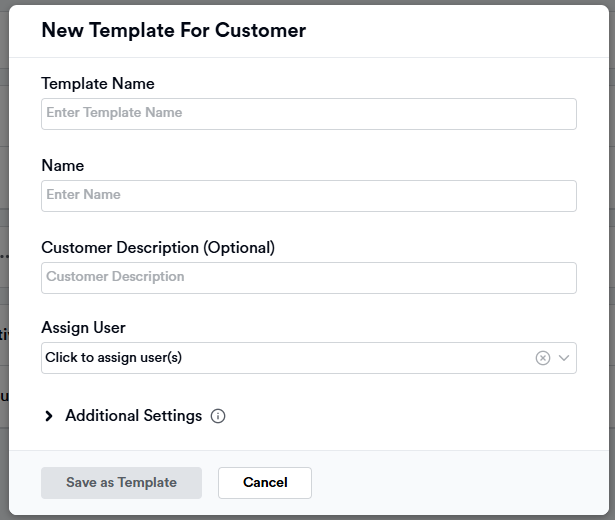
- Click Save as Template
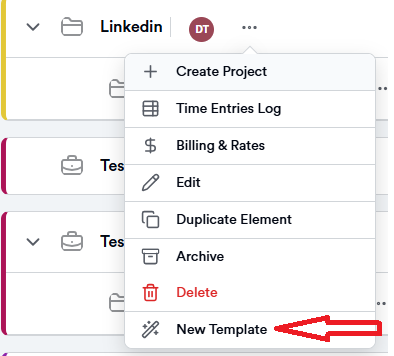
- 3-Dotted Menu on Existing Element – to create a new Template from the existing Element
- Click 3-Dotted Menu on the existing Element
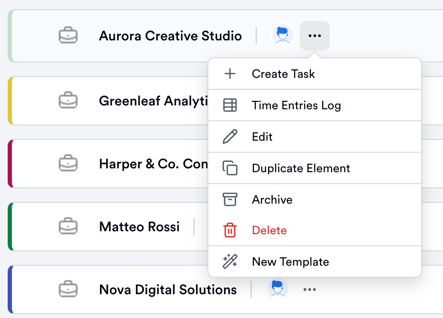
- Click New Template
- Fill in the required empty fields in the Template creation modal
- Click Save as Template
Support
Need help with the article or have any questions? Reach out to us anytime at: