![memtime-light-2x.png.png]](https://knowledgebase.memtime.com/hs-fs/hubfs/memtime-light-2x.png.png?height=40&name=memtime-light-2x.png.png)
Memtime is designed to run per user, but installation and updates can be handled centrally by IT teams.
Supported environments
Memtime is currently compatible with the following operating systems:
-
Windows: Version 10 and 11
- Windows Server: 2016, 2019, 2022, 2025
-
macOS: Version 12 and newer
-
Linux: Using X113
System architecture requirements
Before installation or update, ensure the correct installer type is used.
For example, on Windows, you need to check the following requirements:
- x64 (Intel/AMD-based systems)
- ARM64
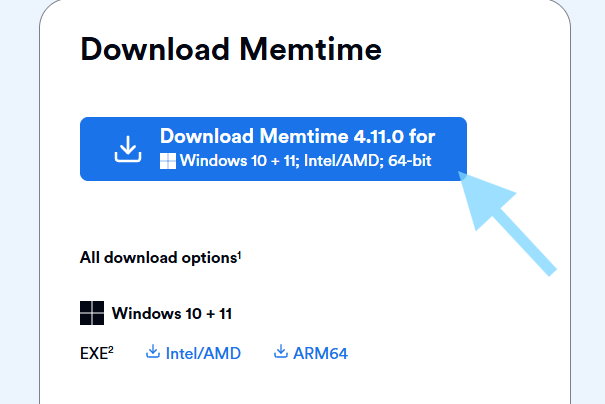
Downloading Memtime
The latest version is always available here:
🔗 https://portal.memtime.com/download
When opened on the target system, the correct version is typically detected automatically based on system architecture.
Installation and update methods
In most managed environments, updating Memtime consists of installing the newest version on the host system.
User settings and data should remain unchanged.
Silent installation
Memtime supports silent installation via Windows Installer command line parameters, which is suitable for automated deployments.
For detailed instructions, see:
🔗 How to Use a Windows Installer Command Line for Memtime
🔗 How to use a MacOS Installer Command Line for Memtime
🔗 How to Download the Latest Memtime Version Using Curl
Best practices for IT administrators
To ensure smooth rollout and updates across multiple users:
- Deploy updates centrally rather than per individual user
- Ensure active sessions are closed before updating, as Memtime is a program that runs in the background
- Make sure you're part of the company's account so you can turn off the automatic updates of the program that are enabled by default:
🔗 How to manage Memtime App updates (as an Memtime Account Admin)
Additional resources (if you're only a user)
🔗 What to do if Memtime requests an update but you do not have admin rights
Support
If you need assistance with deployment, our team at support@memtime.com is happy to help with setup guidance or troubleshooting.