![memtime-light-2x.png.png]](https://knowledgebase.memtime.com/hs-fs/hubfs/memtime-light-2x.png.png?height=40&name=memtime-light-2x.png.png)
1. Check Import Settings and Refresh the List
This step can be performed by any Memtime user.
If DATEV orders are missing, first check your import settings:
-
Open Memtime
-
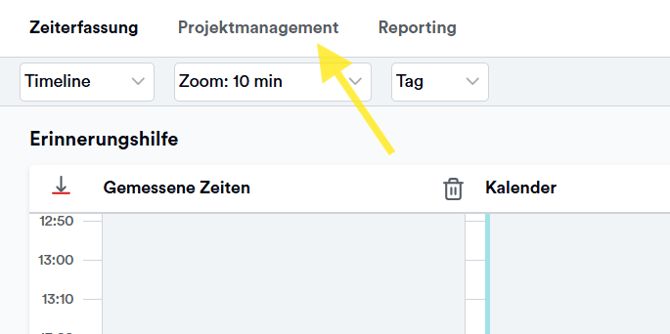
Click on the Project Management section
-
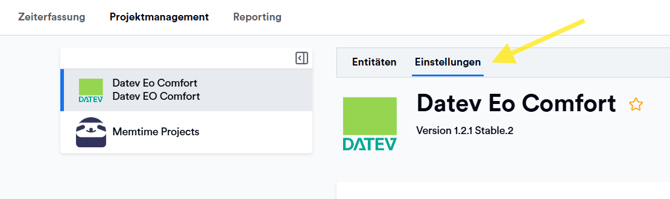
Open the Settings Tab
-
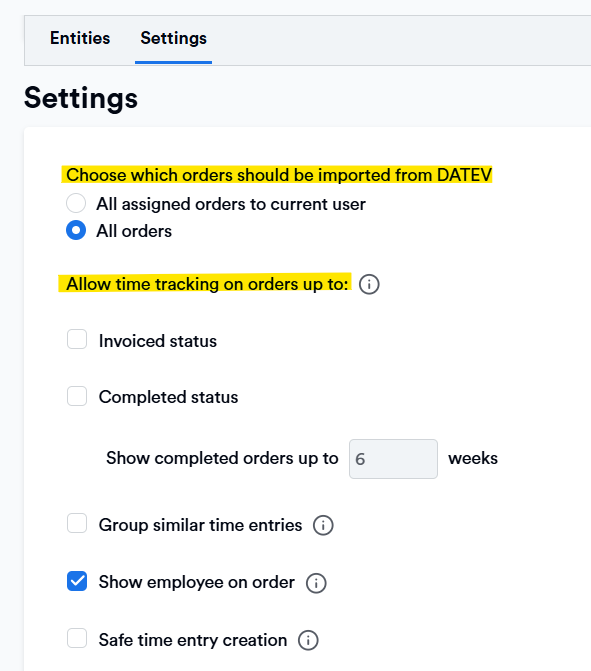
Check that the correct filters and settings for your DATEV EO Comfort integration are enabled sind
-
Wait until the changes are saved

-
Go to the Entities section and refresh the list

2. Check your DATEV settings for the order
In DATEV, booking time entries on orders with the status "work completed" is still possible if your DATEV settings allow it.
For example, you can set your settings to allow booking time on orders up to the status "invoiced" or "work completed", which then allows such time entries in DATEV directly.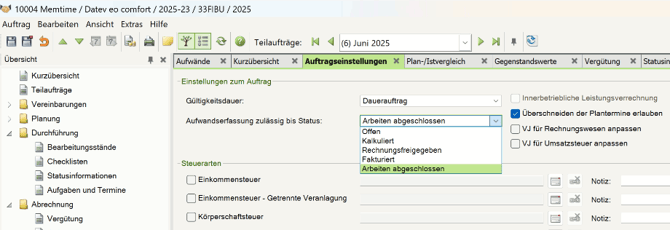
What's important to know is that Memtime is a tool that integrates with DATEV over the DATEV API.
If time entry creation is only allowed up until the status "invoiced" or the status "work completed", make sure that the settings in Memtime match your DATEV settings.
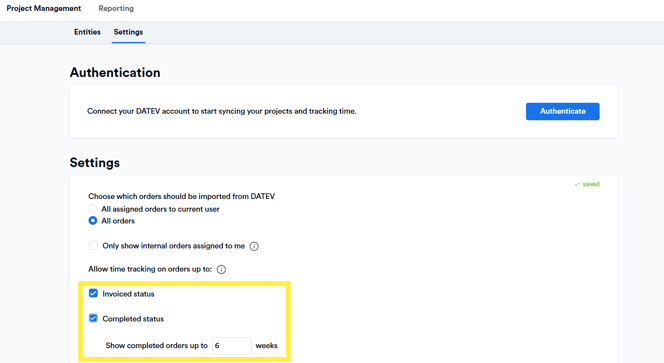
The DATEV API won't retrieve any clients with orders marked as "work completed" or "invoiced" unless you activate the above settings in Memtime.
After the settings are changed, wait for it to complete the refresh.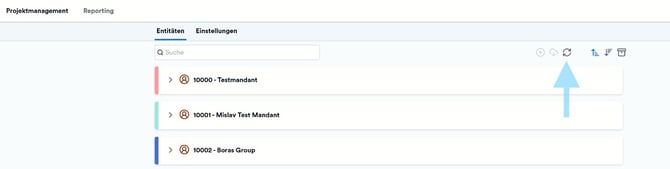
Orders and sub-orders without names are automatically filtered out by Memtime and are not displayed. Please ensure that all DATEV orders and sub-orders have a name so that they can be displayed and used in Memtime.
3. Check the filter options based on order's creation year
1. Go to the Project Management tab, and open Settings for the DATEV integration.
2. Scroll down until you see the field "Show only orders from these creation years".
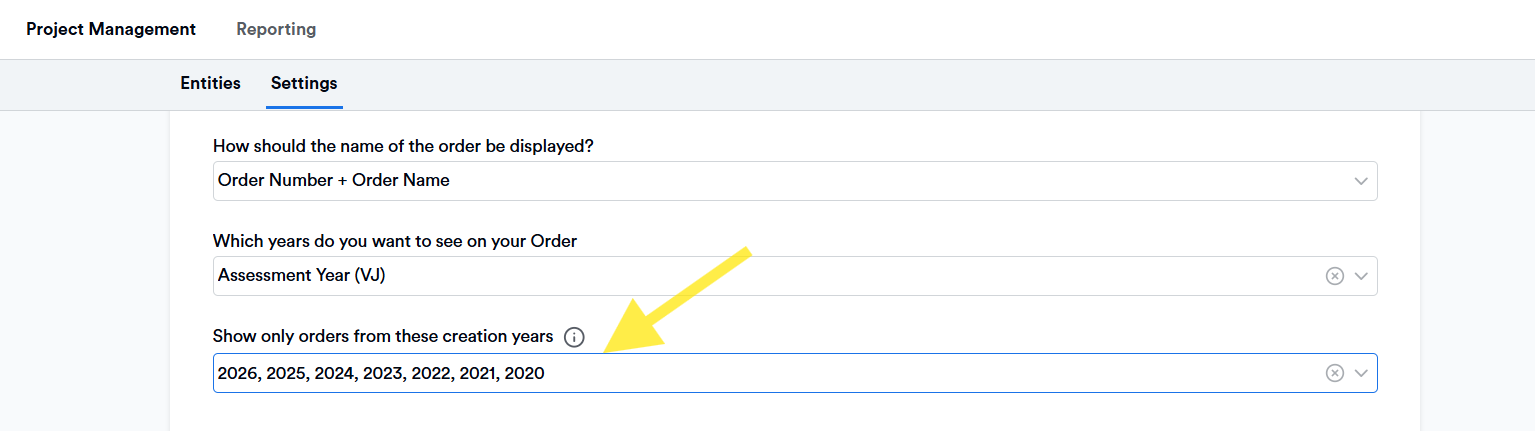
3. Wait for the change to be saved, and wait for the list to fully refresh.
Please note that this field filters out orders strictly based on their creation year, and not the assesment year.
4. Searching in Memtime: Use Multiple Search Terms
If Memtime displays some orders but you are unsure if all are there, you can also use multiple search terms.
This means:
-
If an order is not found with a single search term, try using multiple terms at once
-
Example: Instead of searching only for “Muster,” try “Muster Januar” or “Muster 2025” for better results
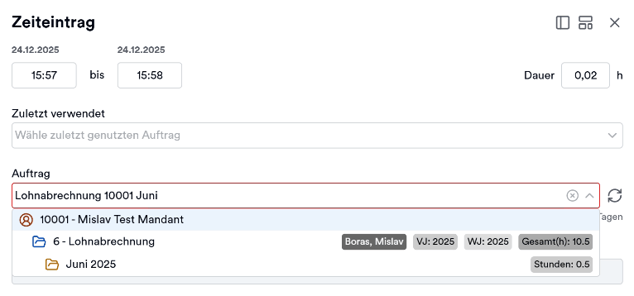
If an order still cannot be found with multiple search terms, it usually means it was not imported or the import settings are incorrect.
5. Troubleshooting: Orders Missing or Incompletely Displayed
Some steps in this section can only be performed by your IT support or Memtime admin.
If orders are still missing after checking the settings, follow these steps in order:
-
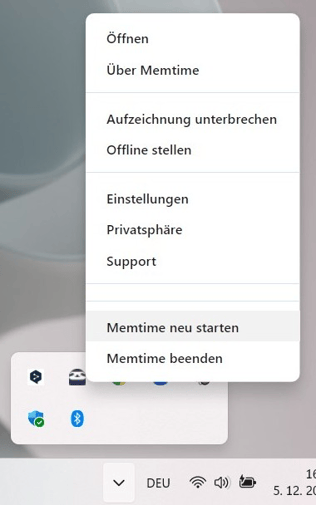
Restart Memtime
-
Restart the DATEV Arbeitsplatz program
-
Log out and log in again with the API user in DATEV
-
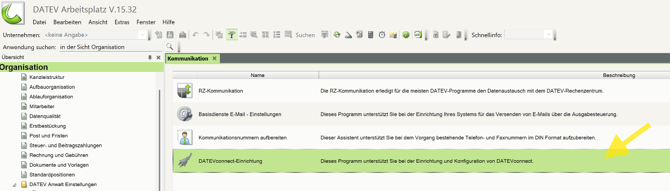
Restart the DATEV Connect API
-
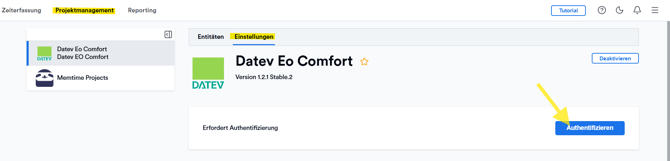
Re-authenticate the DATEV connection in Memtime
- Wait until all orders are imported
Once the synchronization is complete, the spinning button will stop, and a notification will indicate that the synchronization is finished.
Afterwards, check if the orders are now displayed correctly.
6. Add a Service User for Memtime
Some steps in this section can only be performed by your IT support or Memtime admin.
For optimal use of Memtime with DATEV, it is recommended to add a Service U ser for API access.
Here is the guide:
🔗 Set Up a Service User for Memtime
By using this user, you do not need to assign separate permissions for each individual user.
This directly affects how orders from DATEV EO Comfort are imported into Memtime. It allows all team members to use the integration as intended.
Support
Need help with the article or have any questions? Reach out to us anytime at: